Spotify for Artists Explained: The Complete Guide
Learn what Spotify for Artists is, how to claim your profile, understand analytics, pitch songs to editorial playlists, optimize your artist page, and grow your music career with this complete guide for independent artists.
The Strategic Importance of Spotify for Artists in the Indian Indie Scene
Indian indie musicians now have a direct line to a global audience — and Spotify for Artists acts as the control room that makes it possible.
The numbers make the case plainly. Indian artists were discovered more than 11.2 billion times by first-time listeners on Spotify in 2023, according to Spotify's Loud & Clear Report 2023. And close to 50% of all royalties generated by Indian artists on Spotify in 2023 came from listeners outside India. That is not a local streaming story. That is a global export opportunity hiding in plain sight.
The shift from local distribution to global streaming dominance is already underway — but most independent artists are still treating Spotify as a passive upload destination rather than an active career platform. Streaming has fundamentally replaced traditional radio and physical distribution as the primary discovery engine for new music. For Indian indie creators, this means the barrier to reaching a listener in Berlin, São Paulo, or Lagos is now the same as reaching one in Bengaluru.
Claiming your profile on Spotify for Artists is the single most important first step in professionalizing that journey. An unclaimed profile is an invisible one — no verified checkmark, no ability to pitch to playlist editors, no access to the analytics that tell you who is actually listening. In practice, artists who claim and actively manage their profiles are positioned to benefit from every algorithmic and editorial tool the platform offers.
The Indian indie scene is maturing fast. Adopting a Global Export mindset — treating every release as a potential international touchpoint — is what separates artists who plateau locally from those who build sustainable, cross-border audiences.
To do any of this effectively, you first need to understand how Spotify's ecosystem is structured. The terminology matters more than most artists realize.
Core Terminology: Understanding the Spotify Ecosystem
Mastering Spotify statistics starts with understanding the platform's native language — a set of specific terms that mean very different things in practice, and confusing them costs artists real reach.
Spotify URI (Uniform Resource Indicator)
A unique alphanumeric identifier (formatted as spotify:artist:XXXXXX) that pinpoints an exact artist profile or release within Spotify's database; distributors like Playgeet rely on this code to map new releases to the correct profile rather than accidentally creating a duplicate.
Artist Link
The shareable URL (formatted as open.spotify.com/artist/XXXXXX) that fans use to visit your public profile — functionally the same ID as the URI, but formatted for browsers rather than Spotify's internal systems.
Monthly Listeners
The count of unique users who have streamed your music in the past 28 days; this is the metric Spotify's algorithm considers most heavily when evaluating whether to surface you in personalized playlists like Discover Weekly.
Followers
Users who have explicitly saved your profile; followers receive Release Radar notifications for new music, making them a high-intent audience, but follower count alone does not directly influence algorithmic recommendations the way active listening data does.
Canvas
A 3–8 second looping vertical video (or cinemagraph) that replaces static album art inside the Spotify mobile app; according to [Spotify for Artists](https://artists.spotify.com/en/blog), tracks with a Canvas see higher share rates and listeners are more likely to keep the track in their queue.
Discovery Mode
A marketing tool inside Spotify for Artists that signals to the algorithm that you want a specific song prioritized in personalized listening sessions — in exchange for a reduced royalty rate on streams generated through that placement.
The URI-versus-link distinction is not academic. When a distributor submits your release without the correct URI, Spotify may generate an entirely new artist profile, splitting your listener history and diluting your algorithmic standing overnight. This is one of the most common technical errors in independent distribution, and it is entirely preventable.
Monthly Listeners and Followers serve complementary roles: one signals momentum to the algorithm, the other drives direct fan communication. A common pattern is to watch Monthly Listeners climb after a playlist placement while Followers lag behind — which tells you the song is reaching new people who have not yet committed to your profile. Understanding this gap is the first step toward converting casual listeners into a loyal base. With these foundations in place, the next logical move is securing access to the dashboard where you can track all of it — which begins the moment you claim and verify your profile.
Getting Started: Claiming Your Profile and Instant Verification
Claiming your Spotify for Artists profile is an essential first step to accessing the stats for Spotify that reveal how your music is actually performing. The process differs slightly depending on where you are in your release journey.
According to Spotify for Artists, artists can claim their profile as soon as their first release is delivered to Spotify by their distributor. That single condition unlocks the entire dashboard. Here is how the claiming process works:
Deliver your music through a distributor — the release must be live or in-progress on Spotify.
Visit artists.spotify.com and select "Claim your profile."
Search for your artist name and select the correct profile from the results.
Verify ownership by connecting a Spotify account or following the email-confirmation route.
Await approval — typically 3 to 5 business days, though timelines vary.
Distributor choice directly shapes how fast you gain access. Some distributors offer what is commonly marketed as "Instant Access," meaning your Spotify for Artists credentials are provisioned at the moment of release delivery rather than after a manual review window. Playgeet operates in this category, giving Indian indie artists immediate dashboard access alongside their first upload — a meaningful advantage when pre-release promotion windows are tight.
A common issue worth anticipating: if a distributor has previously uploaded your music under a slightly different artist name, Spotify may create a duplicate profile. In that case, submit a profile-merging request through the Spotify for Artists support portal before your next release goes live.
Two algorithmic realities also affect early profile health. The 30-Second Rule means a stream only counts once a listener passes the 30-second mark — affecting your official play count. The 1000 Listener Rule historically gated certain monetization features. Both make early promotion critical, not optional. With your profile claimed and verified, the next logical step is learning how every tab inside the dashboard actually functions.
The Breakdown: Navigating the Spotify for Artists Dashboard
Every artist who wants to become a top artist on Spotify needs to treat the dashboard not as a passive report card, but as an active decision-making tool with four distinct workspaces.
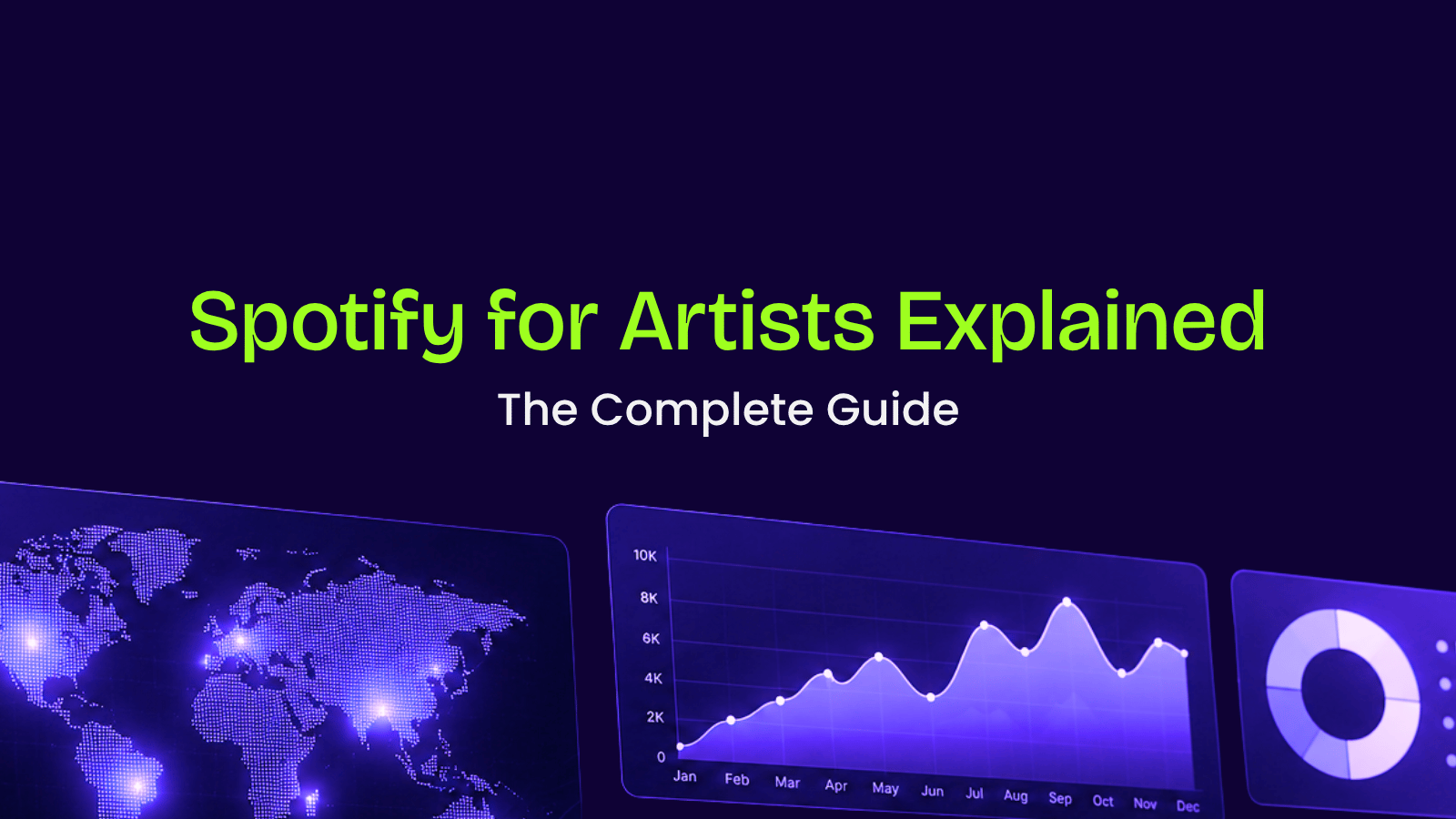
The dashboard's four tabs — Home, Music, Audience, and Artist Profile — each serve a specific strategic function, and confusing their purposes leads to missed opportunities.
Home Tab is your real-time command center. It surfaces live stream counts, recent listener activity, and platform-generated Milestones that celebrate achievements like your first 1,000 streams or a chart entry. These milestones are shareable directly to social media, making them a low-effort but high-impact promotional asset. What typically happens is artists check this tab compulsively while ignoring the deeper tabs — resist that habit.
Music Tab is where performance analysis gets granular. You can drill into any individual track to see its stream trajectory, saves-to-streams ratio, and — critically — which playlist types are fueling discovery. As Soundcharts notes, the Music tab lets you see exactly whether streams are coming from Editorial, Algorithmic, or User-generated playlists — a distinction that fundamentally shapes your pitch strategy for future releases.
Audience Tab delivers the demographic intelligence: age ranges, gender breakdown, cities, and countries driving your listener base. For Indian indie musicians targeting global reach, this tab often reveals surprising pockets of engagement — a strong following in Jakarta or São Paulo that warrants a targeted ad spend or a localized social push. This tab also introduces audience segments, a topic the next section covers in full depth.
Artist Profile Tab is your branding studio within the platform. This is where you write your Bio, upload high-quality Artist Images, and set an Artist Pick — a pinned track, album, or playlist that greets every profile visitor. According to Spotify for Artists, a complete, visually compelling profile meaningfully increases the likelihood that casual listeners convert into followers.
Mastering Audience Segments: The Key to Long-Term Growth
Audience segmentation is the single most underutilized feature separating emerging indie artists from top artists on Spotify — and understanding it can fundamentally reshape how you grow your fanbase internationally.
According to The Complete Guide to Audience Segments, Spotify categorizes listeners based on their streaming habits over the last two years, placing each into one of several distinct tiers. The practical result is a map of your fanbase loyalty, revealing exactly where to focus your energy.
Segment Type | Definition | Strategic Action |
Active Audience | Listeners who seek out your music intentionally | Prioritize with early releases and exclusive content |
Programmed Audience | Listeners who discover you via algorithmic playlists | Convert them with consistent, high-quality output |
Super Listeners | Your top 1% — highest streams and shares | Reward them; they amplify your reach organically |
Moderate Leaners | Regular listeners with growing attachment | Target with pre-save campaigns and direct messaging |
Light Leaners | Occasional or passive listeners | Retarget through Spotify Ad Studio or social ads |
Active listeners are worth far more than raw stream counts — they represent genuine fans who return by choice, not because an algorithm served them your track once.
Super Listeners deserve particular attention. In practice, this group drives a disproportionate share of word-of-mouth promotion and playlist adds. Identifying where they are geographically — for example, a cluster in Berlin or Lagos — gives you concrete data to justify booking an international tour stop or allocating targeted ad spend in that market.
Moving fans up the loyalty ladder, from Light to Moderate to Active, tends to work better through release consistency rather than one-off viral moments. And once you have this audience data firmly understood, the next natural question becomes: does your profile visually reflect the artist these fans expect to see?
Visual Storytelling: Optimizing Your Profile for Engagement
Your Spotify profile is a global storefront — and for Indian indie musicians targeting international listeners, every visual element either builds credibility or costs you a stream.
The foundation is your Artist Image. According to Spotify for Artists' own guidance, a strong artist photo should be high-resolution, well-lit, and free of text overlays or logos. A professional image signals legitimacy instantly, especially to listeners in markets like the US or UK who have no prior context for your name. Think of it as your first handshake with a cold audience discovering you through algorithmic playlists.
Spotify Canvas is where visual storytelling becomes a measurable growth lever. Canvas lets you attach a short, looping video (3–8 seconds) to any track. The numbers justify the effort: according to Spotify for Artists, tracks featuring a Canvas visual see a 145% increase in the likelihood of being shared by listeners.
Canvas drives a 5% increase in overall streams and a 114% lift in track saves — making it one of the highest-ROI features available at no added cost. (Source: Spotify for Artists)
Tracks with Canvas are 145% more likely to be shared, meaning every visual you add compounds your organic reach across listener networks globally. (Source: Spotify for Artists)
A Canvas loop is not decoration — it is a shareability engine that works silently every time a listener hits play.
The Artist Pick feature lets you pin a specific track, album, playlist, or concert to the top of your profile. This tends to work better when tied to a concrete moment — a new single drop, an upcoming show in Bengaluru, or a collaboration release. Rotate it deliberately rather than leaving it static for months.
Finally, linking your social profiles inside Spotify for Artists drives traffic back to your Indian fanbase on Instagram or YouTube, creating a closed loop. Understanding which audience segments Spotify assigns to your profile — covered in the previous section — helps you tailor which social platform you prioritize in your bio link strategy.
Knowing your visual presence is optimized sets the stage for the next layer of growth: the algorithmic promotional tools Spotify makes available directly to artists.
Algorithmic Growth: Leveraging Discovery Mode and Marquee
Paid and performance-based tools inside Spotify for Artists give independent musicians a direct lever to accelerate reach — without requiring a major-label budget.
Once your profile is optimized and your audience segments are mapped, the next logical step is amplification. Spotify offers three distinct tools for this, each with a different cost model and strategic purpose.
Tool | Primary Benefit |
Discovery Mode | Boosts algorithmic placement in exchange for a royalty share |
Marquee | Full-screen sponsored recommendation at release time |
Showcase | Promotes catalog tracks on the Home feed |
Spotify Discovery Mode operates on a revenue-share model rather than an upfront cost, making it genuinely accessible for independent artists. Instead of paying a flat fee, you agree to a reduced royalty rate on streams generated through the campaign. In practice, that trade-off tends to deliver significant returns: according to Spotify, Discovery Mode campaigns drive an average increase of 50% in song saves and 44% in playlist adds during their first month, with a 106% average increase in monthly listeners for those songs.
However, eligibility is not universal. You must meet minimum stream thresholds and account age requirements before Discovery Mode becomes available inside your dashboard — Spotify adjusts these criteria periodically, so checking your Campaigns tab directly is the most reliable way to confirm your status.
Marquee operates differently: it is a paid, full-screen sponsored recommendation that surfaces to targeted listeners at the moment a new release drops. It tends to work better for artists who already have an established active-listener base, since Spotify targets the ad toward people most likely to engage. Showcase, on the other hand, promotes existing catalog tracks directly on the Home feed, giving older material a second window of discovery.
Pro Tip on Eligibility: Discovery Mode eligibility depends on your distributor's participation in the program. Confirm that your distributor — DistroKid, TuneCore, or another partner — has opted into the feature before you begin planning a campaign around it.
Understanding which tool fits your release stage is critical. And knowing when to deploy them connects directly to the timing and mechanics of playlist pitching — which is exactly where your strategy needs to go next.
The Playlist Pitch: How to Secure Editorial Placement
A well-executed editorial pitch is one of the few free, direct levers an independent artist has to place a new song in front of Spotify's curatorial team — but most musicians misuse it.
The process begins with what practitioners call the 7-Day Rule: you must submit your pitch through Spotify for Artists at least seven days before your release date. Submit earlier if possible — two to three weeks out tends to work better, giving editors sufficient runway to evaluate and schedule. Miss that window, and the pitch form locks. No exceptions, no workarounds.
When you access the pitch form, treat every field as editorial real estate:
Genre and mood tags — choose the two or three that most precisely describe the track, not the ones that cast the widest net
Instrumentation — flag any distinctive elements (sitar, tabla, ambient electronic layering) that signal authenticity and cultural specificity
"The Story" field — this is your most critical input; describe the emotional core, the recording context, and why this song matters right now in 100 words or fewer
Language and culture — if the track blends Hindi or regional Indian lyrics with English, say so explicitly; editors actively seek culturally specific content
One practical approach is to pair a strong pitch with a polished Spotify Canvas — the looping visual that plays behind your track. Editors and algorithms both respond to a cohesive release package, and Canvas completion signals a professional, release-ready artist.
Bold truth: algorithmic playlists like Release Radar and Discover Weekly will almost always drive more streams than editorial placements. According to Spotify for Artists, pitching through the dashboard guarantees your song appears on followers' Release Radar — that alone justifies the effort regardless of editorial outcome.
⚠️ Warning: Never pay a third party promising guaranteed playlist placement. These services violate Spotify's terms and can result in permanent account suspension. Legitimate editorial access is free and available only through the official Spotify for Artists dashboard.
Finally, metadata is the silent gatekeeper of playlist placement. Accurate ISRC codes, correct release dates, and properly tagged primary and featured artists are not administrative formalities — they are how Spotify's system reads, categorizes, and routes your music to the right algorithmic and editorial pipelines. Clean metadata ensures that every stream you earn feeds correctly into the royalty calculations we will examine closely in the next section.
Understanding Royalties and the '1,000 Stream' Threshold
Spotify royalties follow a pro-rata model — every stream on the platform feeds into a global pool, and your share is calculated against total platform-wide streams, not against individual listener payments.
The critical eligibility rule: according to Spotify's Royalties Guide, a track must reach 1,000 streams within a rolling 12-month period before it generates any royalty payments at all. Tracks that fall below this threshold contribute zero earnings, regardless of how many plays they accumulate. For Indian indie artists releasing into a competitive global catalog, this threshold makes early promotion — including the Discovery Mode and editorial pitch strategies covered earlier — a financial necessity, not merely a growth tactic.
Listener location dramatically shapes your earnings. A stream from a US-based listener generates significantly more revenue than a stream from India, because Spotify's payout rates are tied to the advertising and subscription revenue generated in each market. In practice, a US stream can yield roughly $0.003–$0.005, while streams from lower-CPM markets like India can pay a fraction of that amount. This geography gap is why building an international audience is not just a vanity metric — it directly multiplies your per-stream income. Strategies like Marquee targeting and playlist pitching to English-language editorial curators are therefore doubly valuable: they grow reach and improve the quality of that reach in revenue terms.
Royalty collection only works if payments actually reach you. Spotify pays rights holders — typically distributors — who are then responsible for forwarding your share. Platforms like Playgeet are built specifically to ensure 100% of calculated royalties pass through to the artist without deductions or unexplained holdbacks, which remains a persistent problem with less transparent distribution intermediaries.
Understanding the mechanics behind these numbers sets the stage for a deeper question: how do you read the data Spotify provides to make smarter marketing decisions? The answer lives inside your analytics dashboard — and the next section shows you exactly how to use it.
Advanced Data: Using Stats to Inform Your Marketing Strategy
Spotify for Artists data is only useful when you treat it like a business dashboard — every number is a question waiting to be answered.
Your Stats tab holds intelligence that most indie artists scroll past without acting on. Start by examining Source of Streams, which breaks down whether listeners are discovering you through algorithmic playlists, editorial placements, your own artist profile, or external sources. A common pattern is that artists whose streams come predominantly from their own profile are essentially marketing to existing fans rather than attracting new ones. That imbalance signals a need to invest more in pitching and promotional outreach.
Questions your data can answer:
Are saves and playlist adds rising faster than stream counts? That ratio tends to indicate a track is resonating beyond passive listening.
Which cities are driving the most listeners? This is direct input for geo-targeted digital ad spend.
What percentage of streams originate from algorithmic sources like Radio or Autoplay versus editorial playlists?
Is your audience growing or stagnant between release cycles?
Which tracks hold the highest save-to-stream conversion, and what do they share structurally?
Saves and playlist adds are leading indicators — they signal intent from listeners who want to return, which the algorithm reads as a strong engagement signal worth rewarding with wider distribution. Track these metrics in the 48 to 72 hours following a release; a high early save rate often predicts algorithmic pickup before stream counts reflect it.
The Listeners Also Like section, generated by Spotify's collaborative filtering algorithm, surfaces artists whose audiences overlap with yours. This is a practical shortlist for collaboration outreach — not guesswork, but data-confirmed audience alignment. And your Top Cities breakdown is equally actionable: if Mumbai and Berlin both appear, a single well-targeted Meta ad campaign covering both markets costs far less than blanket promotion.
Knowing what your data reveals is one thing; building a repeatable system around those insights is what separates artists who grow from those who plateau. The next section consolidates every tool and tactic covered throughout this guide into a clear five-step action plan.
The Bottom Line: 5 Steps to Spotify Mastery
Spotify for Artists is the bridge between making music and building a business — and for Indian indie musicians eyeing global reach, these five steps distill everything covered in this guide into a repeatable, scalable system.
Claim and verify your profile immediately via Playgeet. Verification unlocks every tool discussed throughout this guide: editorial pitching, Canvas uploads, audience analytics, and Discovery Mode. Without a verified profile, you are invisible to the platform's growth infrastructure. Distributing through Playgeet connects your release directly to Spotify for Artists, so verification happens as part of your natural release workflow.
Upload a Canvas for every single track to boost shares by 145%. Canvases are not optional extras — they are conversion tools. A looping visual transforms a passive listen into an active share, particularly on mobile where most Indian listeners stream. Prioritize this for every release, not just singles.
Pitch to playlist editors at least 14 days in advance for maximum impact. The Release Guide from Spotify for Artists makes this timeline non-negotiable. Late pitches miss the editorial consideration window entirely. Build the 14-day buffer into your release calendar before you set a date.
Monitor Audience Segments to identify your 'Super Listeners'. The Complete Guide to Audience Segments explains how Super Listeners represent your highest-intent fans. These are the listeners who convert to ticket buyers, merch customers, and word-of-mouth advocates. Tracking this segment over time reveals whether your growth is deepening or merely widening.
Use Discovery Mode to break into international markets. In practice, Discovery Mode tends to work better when layered on top of an already-optimized profile — strong bio, consistent Canvas, and a pitched release already in motion.
The next section pulls together the best tools, deep-dives, and resources to help you act on each of these steps with precision.
Further Reading and Resources for Indie Growth
The right resources accelerate your growth far faster than trial and error alone — and the guides below are chosen specifically to extend what this pillar has covered.
As you move from understanding Spotify for Artists to executing a global strategy, two areas tend to demand the deepest attention: visual identity and royalty collection. For the first, the deep-dive guide How to Design Spotify Canvases with AI walks you through creating looping visuals that stop listeners from scrolling — a skill that directly lifts profile engagement. For the second, Understanding Global Royalty Collection breaks down how performance and mechanical royalties flow across territories, including the markets in South Asia and Southeast Asia where Indian indie artists are gaining real traction.
Data interpretation is where many artists stall — and that is precisely where Playgeet's REZY AI adds the most value. Available 24/7, REZY AI is built to help you read your Spotify for Artists dashboard with purpose: identifying which cities are warming up, which playlists are driving saves versus passive streams, and when to time your next release for maximum algorithmic lift. Rather than spending hours parsing numbers alone, you get a support layer that translates raw data into actionable next steps. In practice, this tends to close the gap between artists who collect data and those who actually act on it.
The Spotify for Artists Blog also remains one of the most reliable free resources for staying current with platform changes, editorial trends, and promotional best practices.
Ready to release your music on Spotify? Distribute your music worldwide with PlayGeet, manage your releases with confidence, collect your royalties, and turn insights from Spotify for Artists into real audience growth.